
In a previous post, we discussed a few statistics to help us measure our wardrobe's sustainability. Now, we are going to put this into practice with an Excel spreadsheet. The spreadsheet consists of three sheets - Summary, Inventory and Daily Log - which are discussed in turn below.
Summary

This sheet serves two purposes: it provides a few auto-updating statistics about your wardrobe (as seen in the image above) and it is also where you will configure the spreadsheet to best meet your needs.
The first configuration option is referred to as a category, which is something every apparel item will be associated with. A category represents a class of apparel such as footwear. This information will used to populate the pie chart seen above and as a means of sorting your inventory (as discussed below).
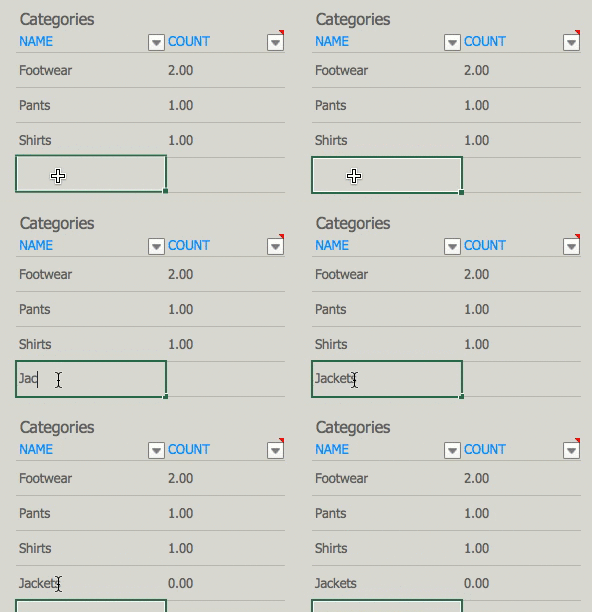 |
| Adding a 'Jackets' category |
To enter a new category or edit an existing one, simply click on the desired cell and type a category name. The COUNT cell is automatically calculated and represents the number of items associated with a particular category in your inventory.
The second configuration option are your brands. Every brand will have an associated score, which you will get from Rank A Brand.
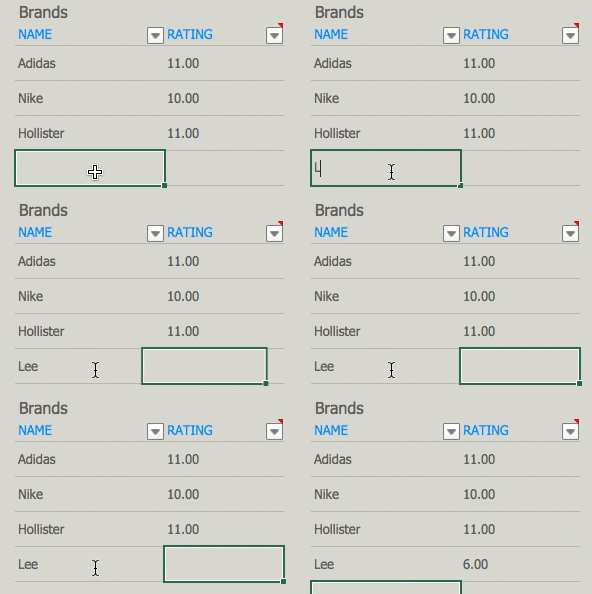 |
| Adding Lee and its Rank A Brand score |
As with categories, you can add as many brands as you want. With each brand, you also need to input a Rank A Brand score. If you disagree with a ranking or one of your brands is not ranked, you can input your own score as well (here is an example report, should you want to independently research a brand).
Inventory

This sheet is where you will add your apparel items. Each item needs to have a brand, category, type, name, purchase date and cost.
An item's type is a means of grouping items across categories (whereas categories group across types). For example, you may have items with a type of Running within both the Footwear and Shorts categories. An item's name is what you will refer to it in your Daily Log (see below). It can be anything from a model such as "Adizero Tempo 8" to a personalized name like "my favorite jacket."
After filling in the required information, Brand Rating, Item Age, Wear Count and Cost-Per-wear will be calculated for each item. You can read more about these statistics in our previous post.
An item's type is a means of grouping items across categories (whereas categories group across types). For example, you may have items with a type of Running within both the Footwear and Shorts categories. An item's name is what you will refer to it in your Daily Log (see below). It can be anything from a model such as "Adizero Tempo 8" to a personalized name like "my favorite jacket."
 |
| Auto-calculating inventory cells |
After filling in the required information, Brand Rating, Item Age, Wear Count and Cost-Per-wear will be calculated for each item. You can read more about these statistics in our previous post.
Daily Log
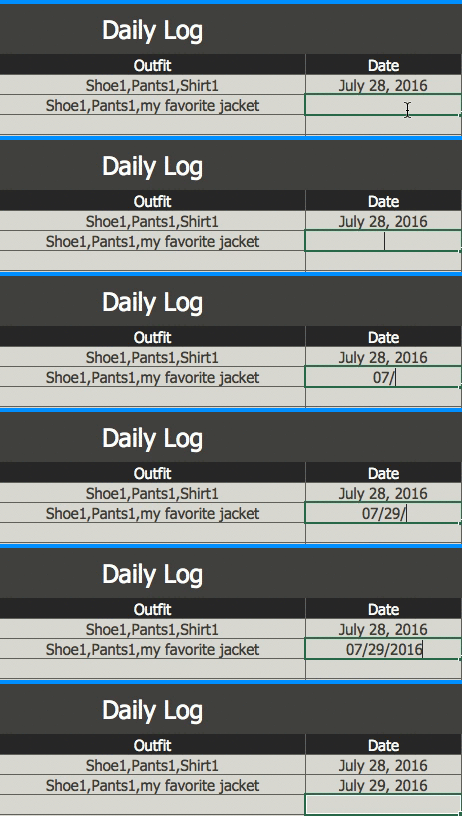 |
| Adding a Daily Log entry |
This is where you will enter your outfits on a daily basis. An outfit log consists of a comma-delimited list of items addressed by their name (as described in the previous section). Here is an example outfit log:
shoe1,pants1,shirt1
where shoe1, pants1 and shirt1 are names of items in our inventory. Wear Count (as mentioned in the previous section) is calculated based on the number of times an item appears in your Daily Log.
General Workflow
On a typical day, you should only need to create one or more entries in your Daily Log. When you purchase a new item, you'll want to update your inventory and possibly your brands.
Download
You can download the spreadsheet here. It should work as intended with any version of Microsoft Excel. Google Sheets, however, seems to change the styling a little.
On a typical day, you should only need to create one or more entries in your Daily Log. When you purchase a new item, you'll want to update your inventory and possibly your brands.
Download
You can download the spreadsheet here. It should work as intended with any version of Microsoft Excel. Google Sheets, however, seems to change the styling a little.

